Mark how finished each passage is
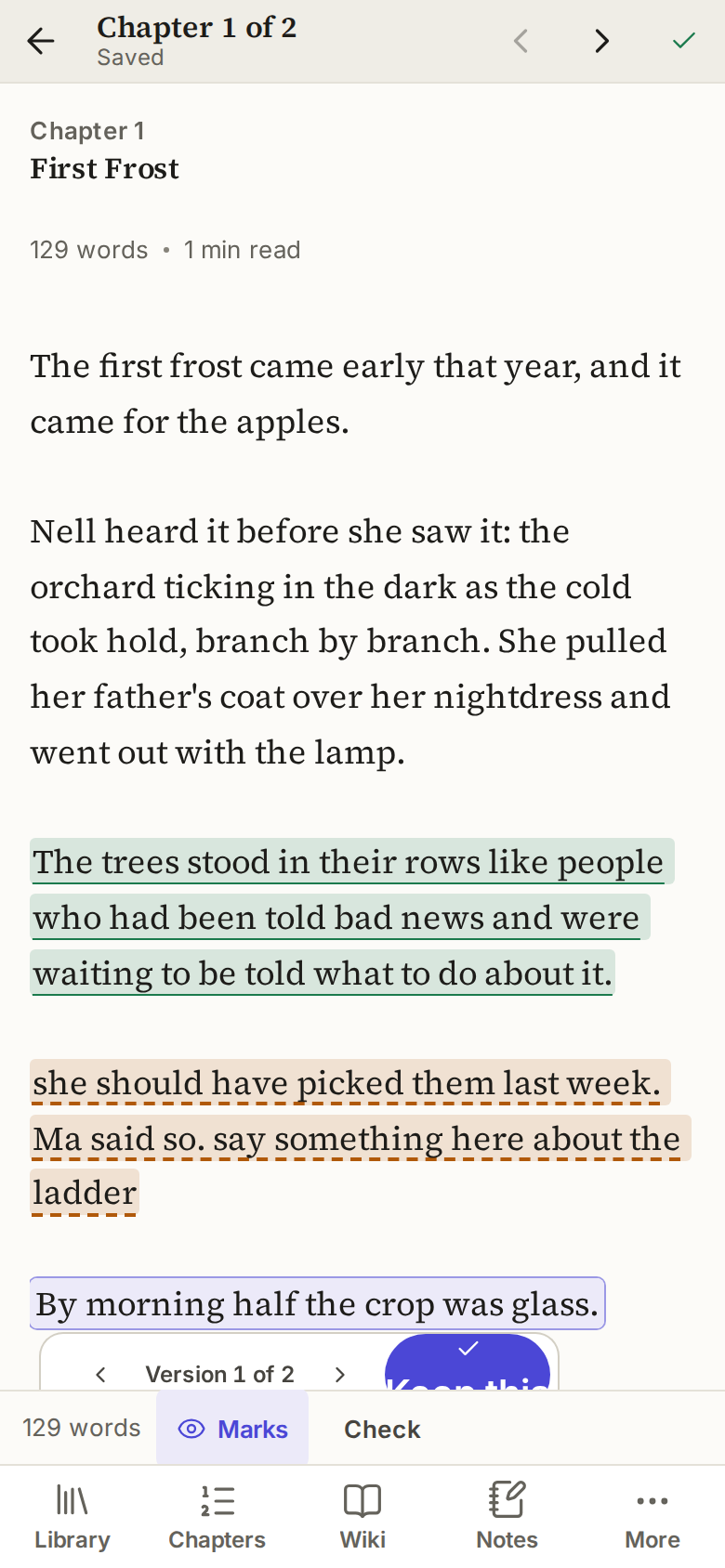
Give any stretch of prose a status: Raw, Draft, Cleaned or Published. Highlights show where the weak patches are. Most tools label a whole chapter. Rescriptus labels the passage.
Rescriptus is a writing tool for novelists that runs in your browser. Chapters, a story wiki and notes, saved as plain files in your own storage.
Free while in beta. No account needed to start.

No account, no install. Choose what you are writing and you get a short sample to show you round.
Mark how finished each passage is, keep alternate versions, and look things up in your story wiki without leaving the page.
Keep them in your browser, in a folder on your computer, or on GitHub. Export to Word or EPUB, or download everything, whenever you like.
Give any stretch of prose a status: Raw, Draft, Cleaned or Published. Highlights show where the weak patches are. Most tools label a whole chapter. Rescriptus labels the passage.
Select a passage and make an alternate. Write a competing version, flip between them with the arrows, and keep the one you want. Nothing is thrown away until you decide.
A page for each character, place, group or piece of lore, with categories and fields you design. Open one in a slide-over beside your chapter and carry on typing.
Press Ctrl+K to jump to any chapter, wiki page or note, or to search your whole project. Find and replace works inside a chapter.
On GitHub, every chapter, wiki page and note keeps its earlier versions. Compare one with your text now and bring back all of it, or just a passage.
Export a Word manuscript or an EPUB, or Markdown or text. Bring in Word, Markdown or a zip. Download the whole project as plain files at any time.
Your words go to a journal on your device first, and are sent on after. If you lose your connection, they wait. If a file changed somewhere else, Rescriptus merges what it can and asks before it overwrites anything.
The layout adapts to phones and tablets, with a bottom bar, drawers for the chapter list and wiki, and touch targets built for fingers.
One tap switches between a light page and a dark one.
Your writing stays in your own storage, never on our servers.
We would rather tell you now.
No. Start in your browser and you are writing in under a minute. A GitHub account is only needed if you choose to keep your project on GitHub.
Rescriptus is free while it is in beta. There is no billing yet. If that changes, getting your files out will never be behind a paywall.
Where you choose: in this browser, in a folder on your computer (in Chrome, Edge and other Chromium browsers on a computer), or in a GitHub repository. A working copy is also kept in your browser so pages open fast and edits survive a dropped connection. We do not store it on our servers.
Not through Rescriptus. Your writing does not pass through our servers. If you use GitHub, GitHub holds your repository under its own rules. A private repository is private to you.
Your files are ordinary Markdown files in your own storage. Open them in any editor. Nothing is locked in, and you can download everything as a zip at any time.
We cannot. We do not have it. Rescriptus has no AI features, and nothing you write is sent to an AI service by us.
Yes. Export any book as a Word manuscript or an EPUB, or as Markdown or plain text. There is no PDF export.
Yes. Import Word files, Markdown, plain text, or a zip of them. You see a preview before anything is added.
Not live. If you share a GitHub repository, Rescriptus brings in changes made elsewhere, combines edits to different words, and asks before it overwrites anything.
Partly. If your connection drops while the page is open, your edits are kept on your device and sent when it comes back. Opening Rescriptus with no connection at all does not work yet.
It runs in a phone browser, with a bottom bar and drawers for the chapter list and wiki. It is not a separate app.
A manuscript scraped clean and written over, with the old words still faintly visible underneath. Rescriptus is named after that idea: your earlier versions stay within reach.
More in the help pages.
Open it, pick a starting point, and write. Your files stay yours.
Start writing